

DnX PIE for SAP
SAP Personio Integration
Personio holds your HR data, SAP HCM runs payroll. DnX PIE connects both systems automatically – master data, compensation, absences and time data flow from Personio to SAP without double entry, and payslips flow back into the Personio employee file.
Personio and SAP HCM without double entry
Many companies run their HR processes in Personio but still process payroll in SAP HCM. Without an integration, every change is entered twice: new hires, address changes, salary increases, vacation. That costs time and creates discrepancies that only show up in payroll.
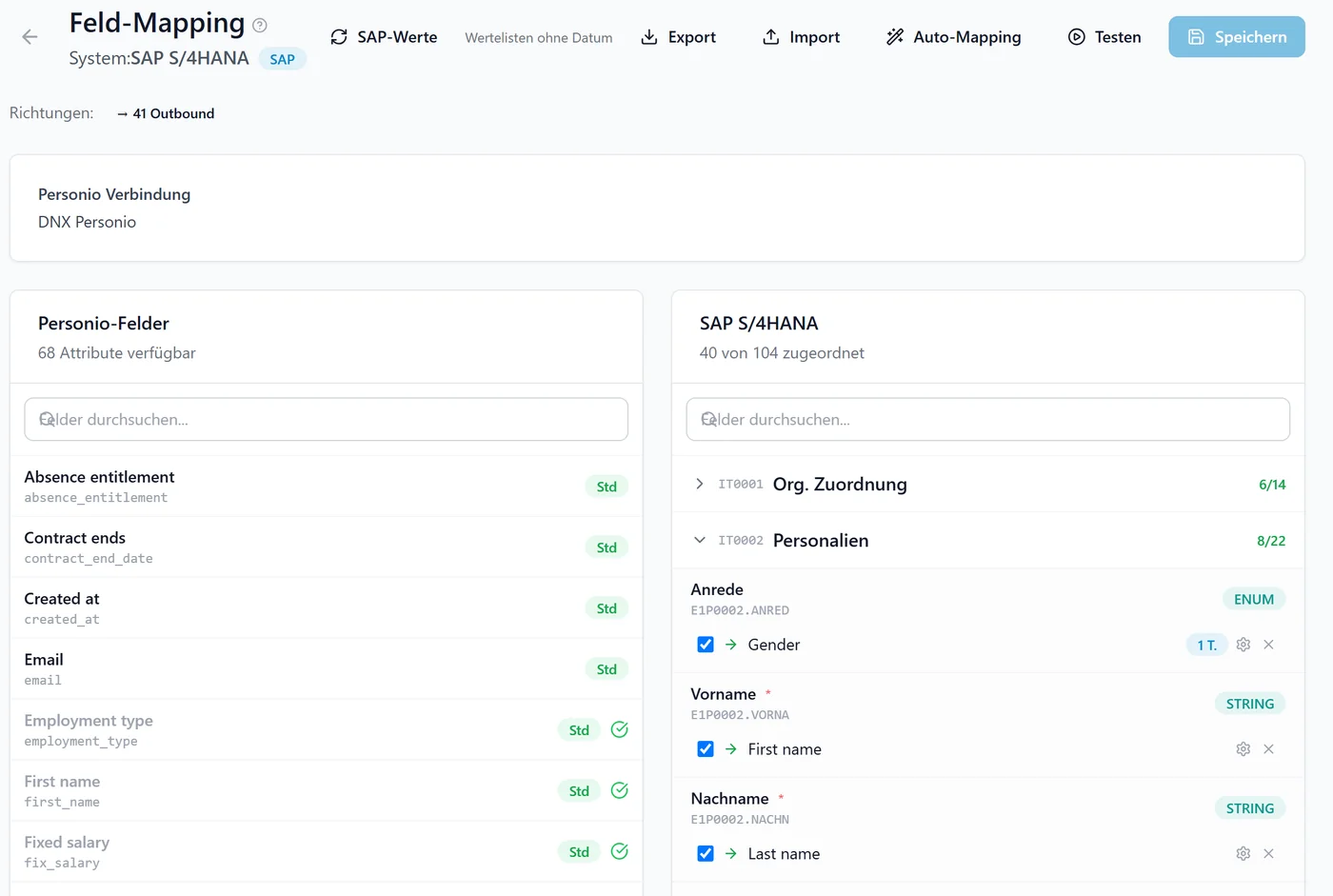
DnX PIE is integration software (SaaS) built for exactly this case. It reads the data from Personio, compares it field by field against the current state in SAP HCM and writes only what has actually changed – into the right infotypes and with the right personnel action.
- No manual double entry between Personio and SAP
- Compared against the current SAP state instead of blind overwrites
- Every run fully logged and traceable
Use cases from practice
Two ways to connect Personio and SAP – depending on whether writing to SAP is allowed.



„Introducing Personio does not mean giving up SAP payroll.“
I am a certified SAP HCM consultant and implemented HR systems at Deloitte, Accenture and BearingPoint before founding DignativeX. I am personally responsible for DnX PIE – when you talk to us about the interface, you talk to the person who builds and runs it.
Which data flows between Personio and SAP
Which data, infotypes and directions are transferred is configurable.
Master data and personnel actions
Personal data, address, organizational assignment, working time, contract data and bank details are mapped to SAP infotypes. The matching personnel action is derived from the changes – including new hires with personnel number assignment and leavers.
Compensation and wage types
Basic pay allowances, recurring payments and deductions and one-time payments are transferred per wage type. Wage type valuation is read from SAP; employment percentage and validity periods are taken into account.
Absences and attendances
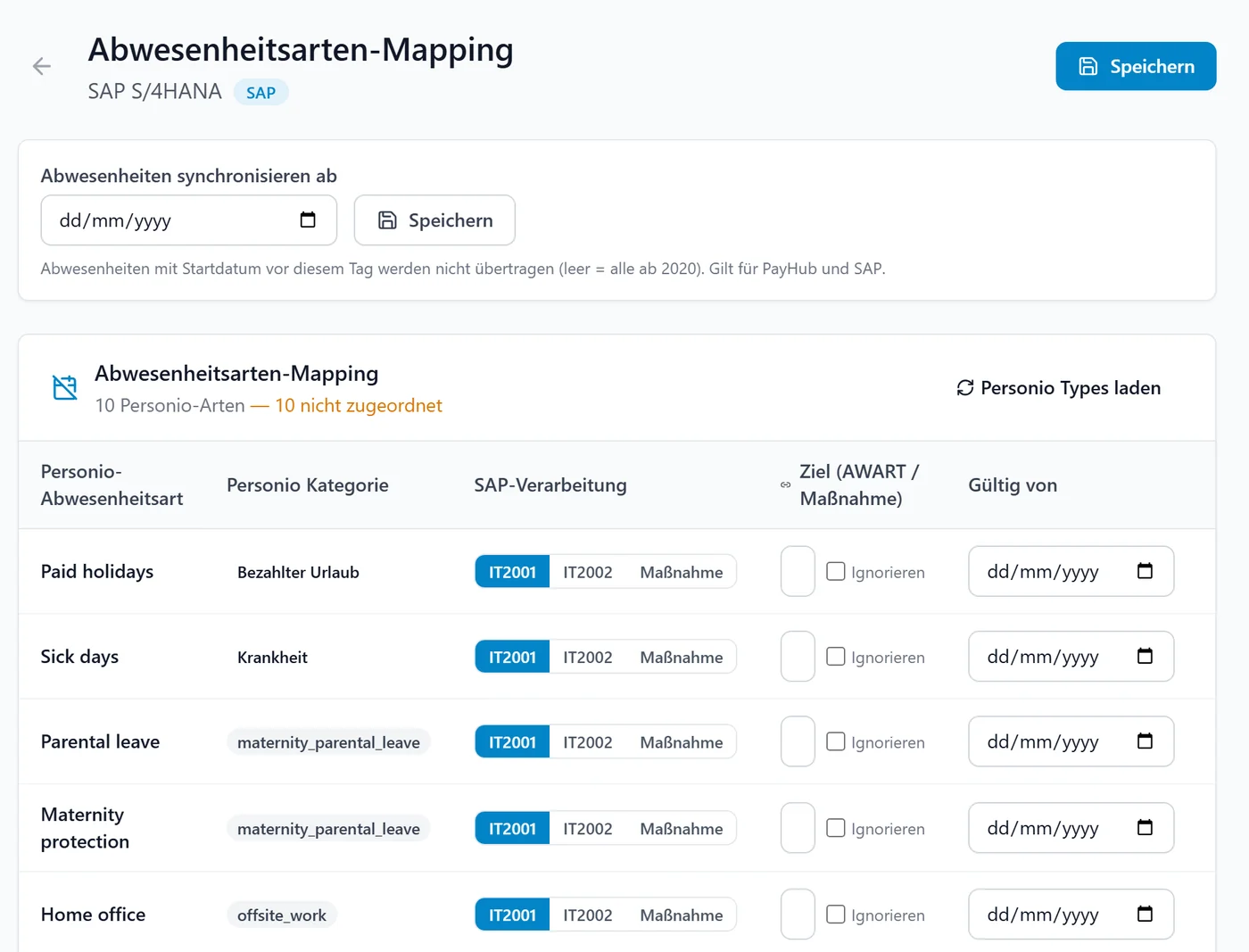
Approved absences from Personio are written day by day into SAP HCM; quota deduction is handled by SAP itself. Deleted absences are removed. Attendance and clock-in times are transferred as well.
Organizational management
Organizational units, positions, jobs and cost centers are read from SAP and can be mapped to Personio values.
Payslips back to Personio
Archived documents such as payslips are transferred from the SAP document archive into the digital employee file in Personio – matched uniquely via the personnel number and never filed twice.
Payroll posting to SAP FI (optional)
Companies running Personio Payroll receive the monthly posting result as a document in SAP standard format – for SAP S/4HANA or SAP ERP (ECC), with mapping of accounts, cost centers and tax codes.
How the integration works
Every record goes through the same traceable steps – automatically or after manual approval.
Read from Personio
Via the Personio API (OAuth2), scheduled or event-driven through Personio webhooks.
Compare with SAP
Field-level comparison against the current state in SAP HCM. Unchanged infotypes are not written.
Mapping and staging
Transformation through configurable field mappings and lookup tables, staged with preview.
Validate and send
Plausibility check against the resulting record, then transfer via RFC with immediate response from SAP.
A look inside DnX PIE
Real views from the interface.
Built for payroll
An integration into payroll must not cause surprises. That is why the safeguards are part of the product.
Payroll run protection
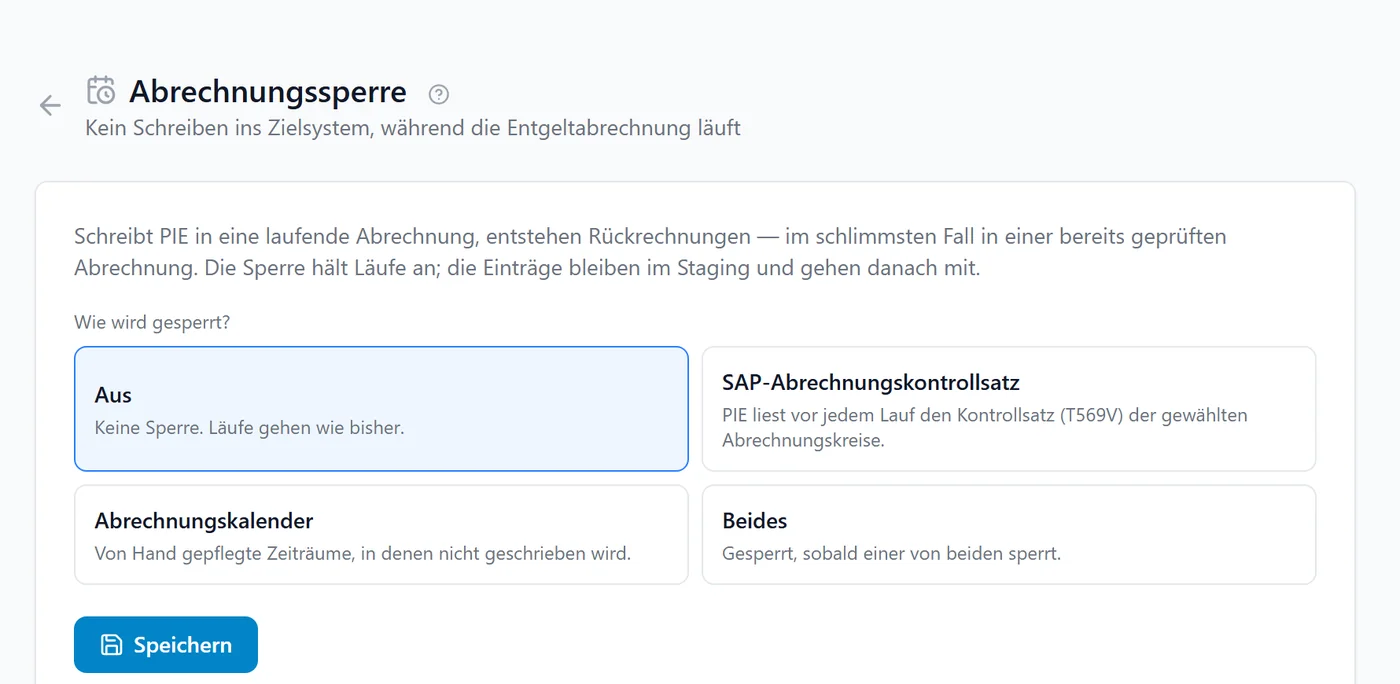
While payroll is running, DnX PIE pauses write operations automatically – based on the payroll status in SAP or a blocking calendar. No changes are lost.
Plausibility check before writing
Configurable rules check the SAP state together with the new values, catching errors that only arise in combination.
Controlled go-live
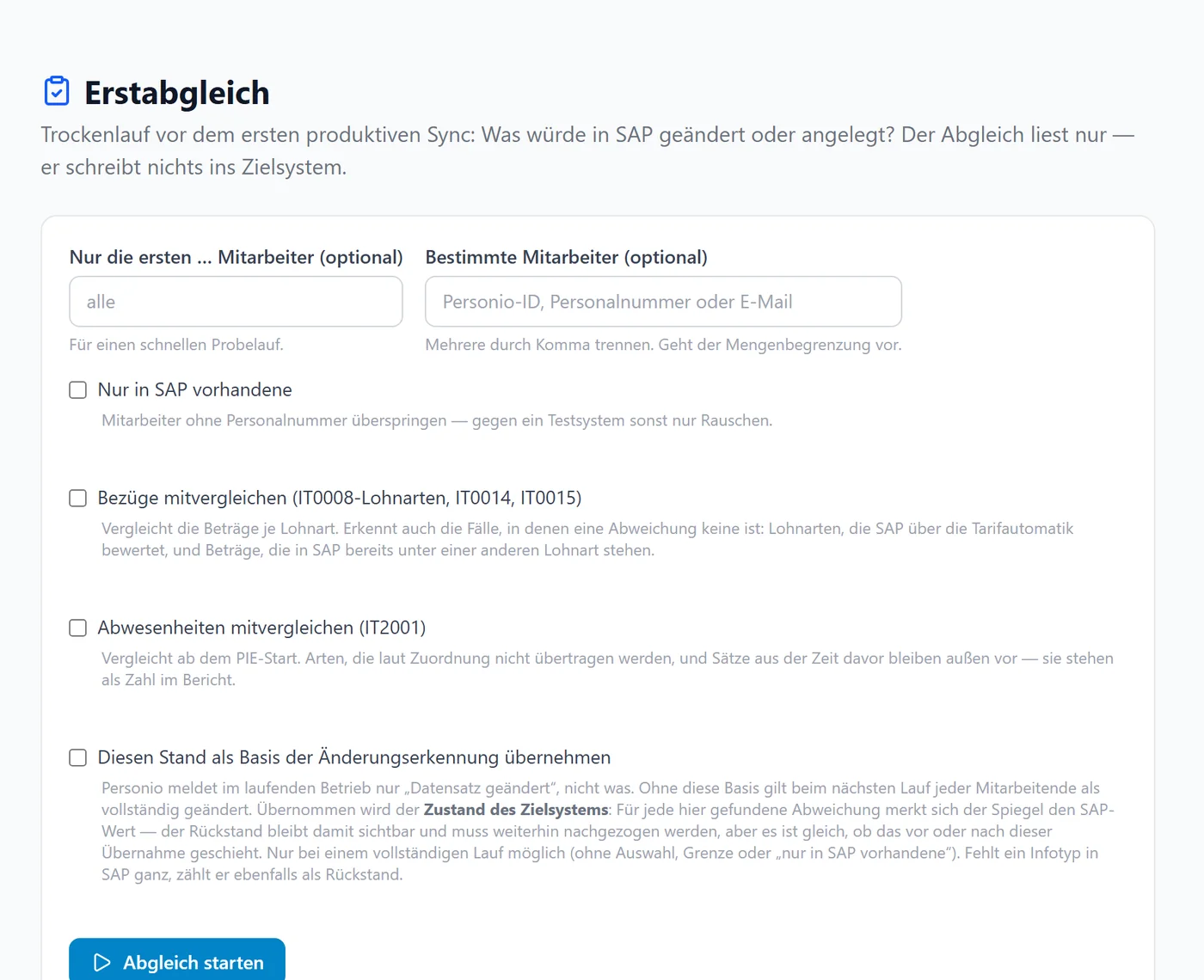
An initial reconciliation shows what would change in SAP before the first productive run. Start date and retro-calculation relevance are checked against the payroll status.
SAP maintenance stays untouched
DnX PIE only changes or removes records it has written itself. Time slices maintained in SAP are never overwritten but flagged for clarification.
Technology and operations
Personio
Personio API with OAuth2, Personio webhooks for event-driven runs.
SAP HCM
Connection via RFC using provided function modules, imported into the SAP system by transport. Dedicated technical SAP user.
Operations
Software-as-a-Service, multi-tenant, hosted in data centers in Germany. Web interface in five languages.
Frequently asked questions about SAP Personio integration
Is there a standard interface between Personio and SAP HCM?
A connection to SAP HCM is not part of Personio's standard offering. DnX PIE closes this gap: it connects the Personio API with SAP HCM via RFC and transfers master data, compensation, absences and time data.
Which data does DnX PIE transfer from Personio to SAP?
Employee master data including personnel actions, new hires and leavers, compensation per wage type, approved absences and attendance or clock-in times. In the other direction, payslips are transferred from SAP into the Personio employee file.
What needs to be set up in the SAP system?
Access to development, quality assurance and production systems, the function modules supplied by DignativeX, activated SAP services and a dedicated technical SAP user with the appropriate authorizations.
What happens if changes are entered in Personio while payroll is running?
With payroll protection enabled, DnX PIE pauses write operations during the payroll run. The changes remain in staging and are transferred once the lock ends.
Will data maintained in SAP be overwritten?
No. DnX PIE compares against the current state in SAP and writes only differing infotypes. Records not created by DnX PIE are not changed; conflicts are flagged for clarification.
How quickly do changes reach SAP?
Depending on configuration: scheduled at fixed intervals or times, or event-driven via Personio webhooks in near real time.
Further reading
Personio implementation
As a certified partner we implement Personio – the SAP interface is built in the same project.
Learn moreOur implementation approach
Planning, configuration, migration, testing and go-live – structured and with hypercare.
Learn moreHR software selection
Not decided yet? We evaluate HR systems vendor-neutrally against your requirements.
Learn moreDnX PIE: the integration engine
Connect Personio with further systems: time tracking, travel expenses, finance, analytics.
Learn moreCollective pay with DnX PayHub
Pay grades, allowances and special payments in one platform – complementing Personio and SAP.
Learn moreConnect Personio and SAP
In a short call we clarify which data should flow and how the connection to the existing SAP system will look.
Book a call